
Download Saúde e Bem Estar – health tracker, wellness app, medical monitoring, blood pressure monitor, weight tracker, bioimpedance analysis, medication reminder, clinical data recorder, health journal, personal health management
Overview
Saúde e Bem Estar is a desktop application designed to support users in managing their personal health and wellness through systematic tracking of clinical data. Developed by i9Access in collaboration with Incoterm, the software offers a centralized platform for recording and analyzing vital health metrics such as blood pressure, weight, bioimpedance, temperature, and oximetry. It is intended for individuals seeking a structured approach to monitor long-term health trends and maintain consistency in self-care routines. The application serves both general wellness users and those managing chronic conditions who benefit from regular data logging and visual tracking.
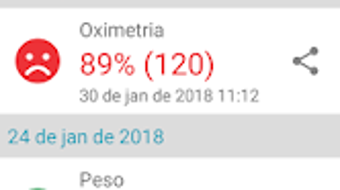
The software enables users to maintain a chronological record of all entries, providing a clear historical overview of their health journey. This feature is particularly useful for identifying patterns over time, such as fluctuations in blood pressure or changes in body composition. The ability to visualize data through customizable graphs enhances understanding and supports informed discussions with healthcare providers. Additionally, the app allows users to share individual measurements or graphical summaries as images, facilitating communication with family members or medical professionals.
Key Features & Capabilities
- Multi-Metric Health Tracking: Supports recording of blood pressure, weight, bioimpedance, temperature, and oximetry data, allowing comprehensive monitoring of key health indicators.
- Historical Data Log: Maintains a chronological list of all entries, enabling users to review past measurements and track changes over time.
- Customizable Graphs: Users can select specific metrics and time periods to generate visual representations of their health trends, aiding in pattern recognition and progress evaluation.
- Medication Tracker with Reminders: Allows users to log medications and set up alerts to ensure timely intake, supporting adherence to treatment plans.
- Data Sharing Functionality: Offers the ability to export measurements or graphs as images for sharing via social media or direct messaging.
These features are especially beneficial for users managing long-term health conditions or those aiming to improve lifestyle habits. For example, a user tracking blood pressure can use the graph feature to identify correlations between diet, stress, or medication timing and readings. Similarly, the medication reminder system helps prevent missed doses, contributing to better health outcomes. The integration of multiple data types into a single interface streamlines personal health management and reduces reliance on scattered notes or paper logs.
User Interface, Workflow & Performance
The user interface of Saúde e Bem Estar appears designed for clarity and ease of navigation, with a focus on intuitive data entry and visual feedback. Users can access different sections—such as data logging, historical records, and graphs—through a streamlined menu structure. The workflow emphasizes efficiency, allowing users to input measurements with minimal steps and view results instantly. Data is organized in a clean, readable format, with visual cues to highlight trends or anomalies.
While specific performance metrics such as CPU or RAM usage were not disclosed, the application’s 150 MB installation size suggests a lightweight footprint, which may contribute to smooth operation on standard desktop systems. The developer did not specify resource usage details. Based on general software behavior patterns, the app is expected to run stably during regular use. No reports of crashes or instability were mentioned in the provided information. The overall experience is designed to minimize friction, making it accessible even for users with limited technical proficiency.
Compatibility & System Requirements
Saúde e Bem Estar is available for both Windows and Mac operating systems, offering broad accessibility across major desktop platforms. The software is currently released in version 1.0.0, indicating a stable initial launch. The installation size is 150 MB, which is moderate for a desktop application with data visualization and storage capabilities.
Exact system requirements were not listed. The developer did not provide additional system requirements. Compatibility with older or newer versions of Windows and macOS is not specified. Users are advised to ensure their system meets standard desktop software requirements for optimal performance. No information was provided regarding hardware-specific dependencies or peripheral integration beyond the data types supported.
Pros and Cons
Pros
- Comprehensive tracking of multiple clinical health metrics including blood pressure, weight, and bioimpedance.
- Clear chronological data log and customizable graphs for effective health trend analysis.
- Integrated medication tracker with reminder functionality to support treatment adherence.
- Ability to export and share data as images for personal or professional use.
- Available on both Windows and Mac, supporting cross-platform accessibility.
Cons
- Exact system requirements were not specified, which may limit user confidence in compatibility.
- No information was provided on cloud synchronization or data backup options.
- Offline functionality is not confirmed; users may be limited to local data storage.
- Limited details on security measures for sensitive health data.
- Pricing at $29.99 may be considered high for a desktop-only application without subscription features.
FAQ Section
Is Saúde e Bem Estar compatible with Windows and Mac?
Yes, the application is available for both Windows and Mac operating systems.
Does the software require an internet connection to function?
It is not specified whether the software requires an internet connection. The application may support offline use, but this was not confirmed in the provided information.
Can I sync my data across multiple devices?
There is no information available about cloud synchronization or cross-device data sharing.
Is the software secure for storing sensitive health information?
While the app handles clinical data, specific security protocols or encryption methods were not disclosed.
What kind of updates can I expect after purchase?
Details about future updates, feature additions, or bug fixes were not provided.
Final Thoughts + CTA
Saúde e Bem Estar presents a focused and practical solution for individuals committed to managing their health through consistent data tracking. Its ability to record vital metrics, visualize trends, and manage medication schedules makes it a valuable tool for personal health management. The inclusion of a data sharing feature adds practical utility for users who wish to communicate their health progress with others.
While some aspects such as system requirements, data security, and update plans remain unspecified, the core functionality is well-defined and user-oriented. The application is best suited for health-conscious individuals, those managing chronic conditions, or anyone seeking a structured approach to wellness. Despite its single-platform desktop availability and one-time purchase model, the software delivers clear value for its intended audience.
Download Saúde e Bem Estar now to take control of your health journey with a reliable, all-in-one wellness companion.







